I saw this idea online for a "Facebook" back-to-school activity, and decided to recreate and modify it a bit for my sixth graders. I figured I would share in case anyone else is interested in using it with their students. I created it in Google Slides, so just click the link below and make a copy for yourself :)
Another activity that I am going to do with my kids is "Two truths and a fib". The students each write two true statements and one false statement about themselves, and their classmates have to try and guess which on is the fib. Click the picture below to go to the document.
Anyone else have any great back to school activities that you use or are going to try out this year?? Add them to the comments to share with everyone!
The crispness in the breeze has reminded me that summer will be over before I know it! Soon enough, it will be the first day of school, which has gotten me contemplating what I envision the first day of school looking like in my classroom. Today, I came across the following Tweet while scrolling through my twitter feed, and it really resonated with me...
When students walk into our rooms from their summer adventures, they are refreshed and excited about the year to come. It is a fresh start for everyone. The culture we create in our classroom begins from those first moments with our students, and so it is critically important that you start the year off right. My goal, as an educator, is to establish a community within my classroom where students feel safe, supported and encouraged to take risks with their learning. In order for this to be accomplished, the relationships I develop with students need to be strong, and the community of learners need to support one another. In my classroom, I want to create a culture of possibility. This means that I will not spend the first day telling students the big list of things that they are not allowed to do this year. Rather, I will show them all the incredible things we will be learning and doing and spark their curiosity and enthusiasm for learning. Obviously, rules are important, and they need to be discussed to help students stay out of trouble. However, t is worth reflecting on whether they need to be the focus of the first day of school, and ultimately what you will do with students on that first day to establish the culture of your classroom. Let's start things off right, and make this the best year yet! What type of culture do you want to create in your classrooms? 3 Non-Cheesy icebreakers from @cultofpedagogy http://goo.gl/mw78Z3 A HUGE list of Ideas for back to school activitieshttps://goo.gl/mgoI1U
Garner Lake offers a lot of great programs for all grade levels. The instructors are very knowledgeable and flexible!
Dixie, who coordinates the visits, loves working with Ashmont and compliments the school every year we visit. She has always been very accommodating. Programs usually cost about $2.00 per child and because it is so close it is a nice day trip.
Part of our grade six science program involves teaching air & aerodynamics and flight. I figured what better way to engage students than to put them through a series of "flight school" modules! In order to facilitate this, I created a google Site to organize all of the information students need to complete the tasks and modules. As students demonstrate a mastery of the concepts discussed in each module, they will earn badges, which will appear on our leaderboard. Each module coincides with a different topic we need to learn about. For example, module one relates to the properties of air. Also, I have tried to include a variety of different projects and assessment formats to keep learners focused and on task. So far, the kids have really been doing a great job! The link below will bring you to the site.
The other thing we are doing is an interactive flight notebook. It guides students through many of the objectives they need to understand during the unit to compliment our hands-on experiments. Below is the notebook that they will be using. The nice thing about Google Slides is you can insert videos and links right in for students to quickly access.
Over the years, my class has created ditigal stories/movies. Traditionally, we have used MovieMaker. MovieMaker is a good program, but can be a pain if you don't use the same computer every time. Also, creating recordings was more work. This year, we decided to try WeVideo. WeVideo is an app that connects into Google Drive so it is handy to be able to access it both at school and home.
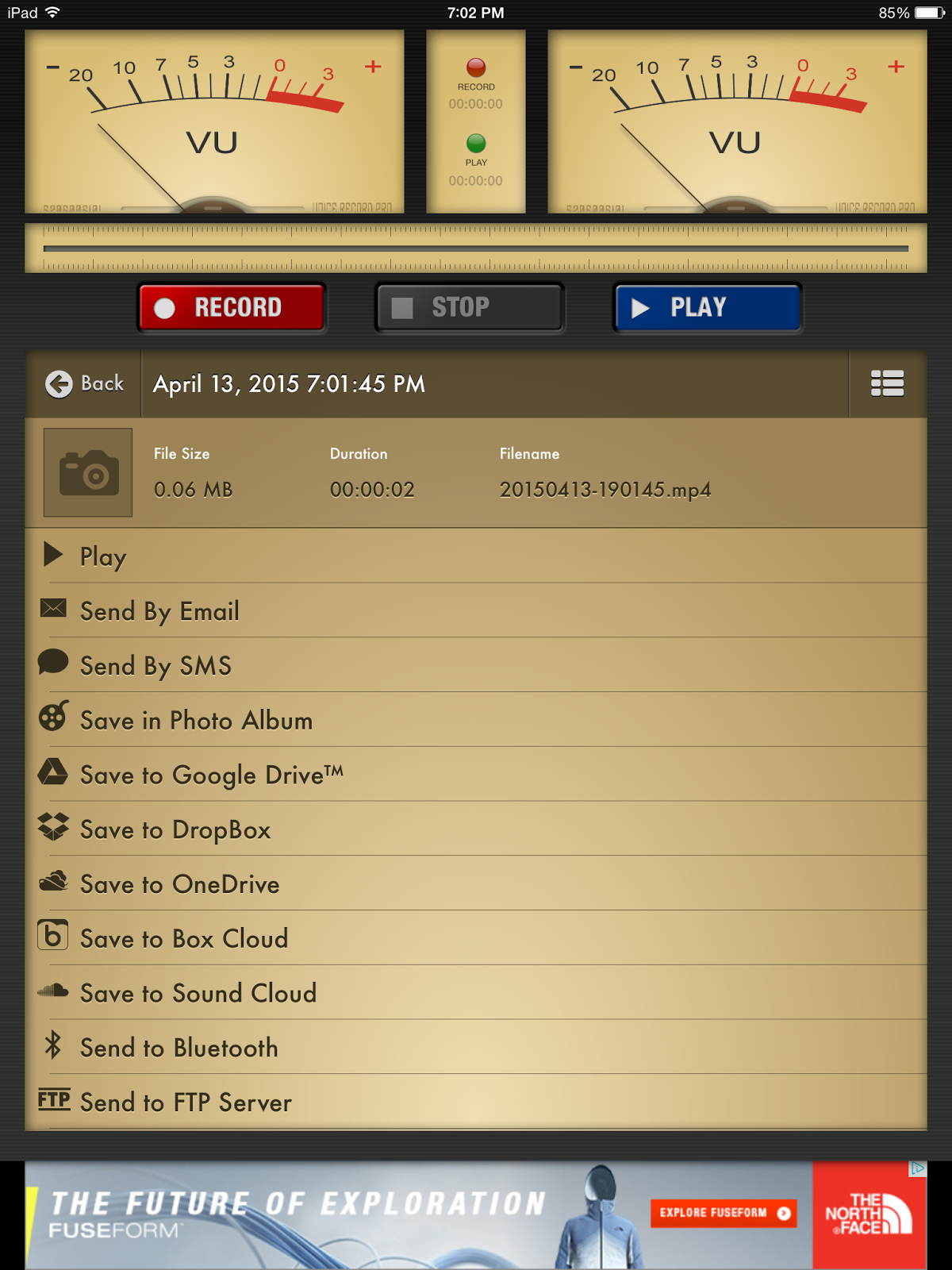
To start students wrote a script on Google Docs which they would later record to tell their story. One of the things I was most excited about when using WeVideo was that the kids could do their voiceover directly on the program. When I did some examples, there were no problems. However, for whatever reason, sometimes when the kids tried to record their voices seemed quiet (could have been our microphones...not sure). Anyway, rather than fight this technical glitch, we decided to use Voice Record Pro which is an app on the iPad. This app allowed students to quickly record and save their recording to a file on Google Drive which was then easily uploaded into WeVideo.
Students uploaded all the components necessary for their videos into a folder on Google Drive. They then uploaded pictures and music. From there they were able to upload the contents into WeVideo. The students switched to timeline mode in WeVideo so they could easily change the length of pictures. To add everything to the video, it is just a matter of drag and drop. It is easy to alter volume on the recordings and to edit pictures/video. When I next use this program, I am hoping to get the kids to further explore all the options for editing and animation.
Prior to publishing, be sure you and the students are happy with the production by having students self-evaluate, peer evaluate and then do a quick look yourself. With the free account, you are limited to publishing 5 minutes per month which works fine for the projects I do, but it may not work if you were doing multiple projects (a couple of my students got closer to 10 minutes so it may depend on settings). It also means students can't publish over and over (which is probably a good thing as they will need to be careful when they do their editing). It is possible to get more minutes by paying and there is also an education account which I haven't looked into that much. I know the education accounts allow for collaboration, much the way Google docs, etc. does.
Projects such as this allow for assessment in multiple subject areas. For this particular project, I was able to assess SS outcomes related to the Iroquois Confederacy, democracy and historical thinking. For LA, we were able to hit a number of writing and communication outcomes.
***There is now a small watermark on the upper right hand corner of videos using the free accounts. It will depend whether this kind of thing bothers you whether you will want to use the program as is or upgrade it by paying.
On an aside, digital storytelling, regardless of the format/program, often will give a voice to kids who don't like to speak in class. It always impresses me to hear the tone and expression in students who will often do everything not to be heard in the classroom!
Kahoot is a fun way to create a game for content review. What is fun about this is not only the games you can make, but also, you can have students create their own. Students can use any internet-based device to answer. You can make your own or choose from thousands of pre-made Kahoots. Also, it is possible to edit Kahoots that are already made to suit your purposes.


.png)


