Pages

Showing posts with label grade six. Show all posts

Wednesday, 13 February 2019

Taking time for Relationships

Building relationships

Building relationships and trust with my students is a very important aspect of my classroom. I was lucky to be gifted a period with just my girls as Mrs. Scott had a hygiene presentation for all the grade 5/6 boys. I thought for a long time how I wanted to fill that 37 minutes of girl time in my room. Through my experiences as a member of the Delta Gamma women's fraternity at the University of Alberta, I was able to build relationships with many diverse women in a trusting environment. Thinking back to these 'team building' opportunities I decided on two separate activities that would lend themselves building the self-esteem of my girls and their bonds with me as well as each other.
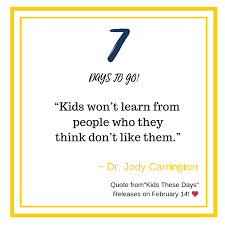
After reading parts of Jody Carrington's book Kids these days it has only reaffirmed my goal of being a personal connection based teacher.

First, we would start our period with the preface that anything shared in this lesson was private and not to be shared and feel free to be open and honest but remember that these activities will all be silent. The activity we started with was called "stand on the line". This is similar to the activity seen in the movie "Freedom Writers". I started with very basic questions like "Stand on the line if you have a sister", "stand on the line if you have a cellphone", etc. Once a few of these questions have been asked I move to more personal questions such as "stand on the line if you have heard gunshots from your house before", "stand on the line if you have seen some use excessive drugs or alcohol", "stand on the line if you have used drugs or alcohol". The girls did very well with this activity and it is designed to make them realize that they are not alone. Some interesting questions I got responses to were "stand on the line if you see yourself as a leader" - no one stepped forward. I also asked the question "stand on the line if you feel you have been treated unfairly because you're a girl" and every girl stood on the line.
The second activity we did is still one of my favourite activities I have ever done, even as an adult. I could not find the activity anywhere but I made it up from memory of doing it in university. I called the activity "Give your heart away". Each girl is given a bag of hearts with different colours and styles of hearts inside. We stand in a circle facing each other. I will read the description of the heart and each girl will give away that heart to the person they feel matches the description. If they cannot think of anyone they can keep their heart and wait for the next round. As we did with the previous activity, there is no talking or explanation allowed when you hand over the heart. I start out with the easy hearts to give away and then progress to more serious and thought-provoking hearts. For example, we started with "give your yellow heart to someone who always makes you happy", "give your pink heart to someone who makes you feel proud to be yourself".We then progressed to "give your blue heart to someone who needs extra love right now" and it was truly touching to see the girls line up to all give their hearts to a student in our class who has been having a hard time lately and it was visible when she accepted the hearts that she was shocked and touched, it even appeared that she sat up straighter like a weight had been lifted for her. At the end of the activity, all the girls are able to take home a baggie full of hearts that their classmates had given them. As soon as we had finished the game the girls all ran to their lockers to hang up their hearts or baggies of hearts as a reminder of the activity. I also finished the period by reminding the girls to remember this day as they grow older and to build each other up and be a family even when they are in Jr. High and later in life. It was a very powerful activity to be a part of. 
I have attached the document I used to guide myself as the facilitator.
I asked some girls in my class their thoughts or feelings about the activity.  One student said, "she liked the game where there was a line and you had to be honest with each other and yourself about things in your life". Another girl said," she liked giving the hearts to who it belonged to because I could see how many hearts everyone got to take home".

Here is a picture of the baggie of hearts I was able to take home.

Here are some of my favourite quotes from Jody's new book, this book has really helped me find my joy of teaching again this year. In all honesty this year I have felt a little overwhelmed and like I wasn't loving my job anymore which is something I hoped to never feel. Lucky for me that I picked this book up at convention and it helped bring me some perspective and appreciation for my work. I hope it will help some of you as well. 


Friday, 27 April 2018

3D Pens and Printer in Math

3D Printing Tech in Math Centers

Today in our math Centers, we used our 3D pens to practice doing transformations. The kids used task cards to identify what transformation they  needed to complete, and then used the 3D pens to draw the shapes. It was a really low-prep activity, but the kids loved using the pens and were really engaged in practicing their translations, rotations and reflections. 


We have also been using our 3D printer to create math manipulatives. This week, we made fraction dice. I just found the design online and then downloaded it- it's amazing what you can find for free online! But students can also use a program called tinkercad to design their own prints. This is something we will work more on during some of the down-time near the end of the year. The design program makes use of many mathematical concepts, such as angles, measurement, 2D and 3D shapes, transformations of shapes, spatial reasoning and so much more! 


Tuesday, 10 April 2018

6B Best Practices


3. A teacher applies a current and comprehensive repertoire of effective planning, instruction, and assessment practices to meet the learning needs of every student. 


In my classroom this year, more than half of my class is reading at or below a third-grade level.  As we all know, this presents many challenges when it comes delivering grade level curriculum in science and social and then meaningfully assessing what the students know without their reading levels hindering their ability to share their knowledge. One of the ways I have differentiated my teaching and assessment is through the integration of a variety of technology tools (I'm sure that is a shocker!)


More Tech Tools & Ideas from Jennine!


With all the create tech tools out there for text to speech, I still haven't found anything that will read Google Slides to students. I often use Google Slides within projects as another way to give students information for their research. To get around this gap, I use a Google Chrome extension called "Screencastify" to make videos of myself reading the slides. The reason this extension is preferable over some of the others that exist is its ability to import the videos directly into Google Drive. So using the webcam, I record a video of myself reading each slide (with a sticky note over the camera so it just shows up as a solid color), and then I insert the video on the corresponding slide. I then go into the video settings and set the video to auto-play in presentation mode. This means that when the students open up the presentation, the recording will play automatically without them having to do anything special. Adding these recordings allows students to access the information whenever they need it, and without their reading ability getting in the way of their capacity to learn the social or science content. 

Here is an example of an automatically reading slide deck: 


The second thing that I do is put my assessments in Google Forms. Using an extension called "Select and Speak", students can highlight the questions and have it read to them. For chunks of text that are an image (We use a lot of past PAT questions to help prepare students), I will insert a youtube video of me reading into the quiz. An added bonus of using Forms is that it has the ability to be set into "quiz mode" now, and if you set up your assessment properly, it will grade all your multiple choice questions automatically for you, which you can then open in sheets and print out for your assessment binders. Below is an example of an assessment that includes a youtube video for one of the questions. 


One last example...

Below is what is called a hyperdoc- (Melanie and I are the founding members of the hyperdoc fan club down in the boonies) Hyperdocs are a great learning tool that I love to utilize in my classroom because they allow students to work through the content at their own pace, and the kids find them really engaging. This is also an example of how I use the slide decks with the recordings in my classroom to differentiate the learning for students. 


Other accessibility tools that I find helpful for students are
  • Voice typing in Google Docs
  • Kaizena in Docs for leaving voice feedback- Great tool!
  • Read and Write Gold for reading their documents to them (And Read and Write for Google Chrome)
  • Select & Speak Extension
  • Announcify: Cleans up the website and removes distractions so it is easier for kids to read. 

Friday, 22 January 2016

Adventures in Math Centers

Since working with Jackie, Carol and I have started on an quest to do weekly math centers with our grade sixes. Each week, we try hard to include a variety of centers, such as a building center, a technology center, a game, etc. We also try to have activities that are differentiated to help meet the needs of all of our learners. The kids have really enjoyed this change in pace, and it has also allowed us to  review concepts we might have worked on earlier in the year in a fun setting. 

We realized that if we wanted our centers to be good year after year, we would need to be organized and keep a record of the centers we were doing for each of the different strands and outcomes. In order to do this, we have created a website that houses all of our resources. Hopefully this will help us create a huge collection of awesome activities and centers that we can use year after year! If you want to check out our site, you can click on the image below to visit our site. We are still doing some tweaking to how it is organized, but slowly we will get it to how we like it. 

Sunday, 8 November 2015

Google Slides- A world of Possibilities

I think that Google slides is my #1 go to web tool for creating learning activities for students. One thing that I love is that I can use it to create interactive texts/ activity booklets for students to use as they research online. If you haven't tried it, you should! Here are some examples from my classroom. You can also make notebooks etc. and print them out using slides- all you have to do is change the page size. Another thing that Slides has going for it is that you can include content outside of the printable page that students can drag and drop. You can also create pictures to use as the backgrounds, which is really handy for graphic organizers for students- They just have to insert text boxes over top. We recently did this for a flow chart of a food chain, and I am going to make the story arc in there for students to plan their writing. Really, the possibilities are endless. 


I also use it to make posters for my classroom, and this is what I used to design my teacher planner this year. With a bit of creativity, you can make some seriously cool stuff in Google Slides :)  


Monday, 2 November 2015

Reading Blog


One thing I have introduced in my classroom this year is a book blog. After reading a particularly good book, students are encouraged to write about it on our class reading blog to share the book with the world. When a student posts, I will often tweet out the link to get visitors to our site. The kids LOVE to see how many people have visited. This establishes a sense of authentic audience for students, and encourages them to improve their writing, since they never know who is reading it. It is also a good opportunity to discuss how to write about the book without spoiling it for the reader. 

I created the blog on Weebly, as I find it really easy to use for the kids with the drag and drop options. If you want to check out their book posts, the address is:

Thursday, 8 October 2015

Bookopoly

I have been on a bit of a gamification kick lately, especially since I am just finishing up a big inquiry project on the topic for my course right now. If you are interested in reading more about gamification, this is a link to a bunch of articles I collected during my research:
https://www.diigo.com/outliner/7fthyf/Gamification?key=btmqbfhx0

My latest creation is a board game that I have dubbed Bookopoly (which apparently is actually a thing...so much for being creative!) As you might notice, it is designed to look like the classic game of Monopoly.  My students have been struggling with their AR reading this year, and it has been really hard to motivate them to read their books. Hopefully engaging them in a fun game will help kick their reading into high gear! One important aspect of this game is that it is designed to allow students of all reading levels to be successful!


Click on me to see the property tile template


On my Bookopoly board, each property tile is named after a location in a kids book (well, mostly anyway!), and has a specific XP value assigned to it. Just like Monopoly, they get more expensive as you go around the board. The idea is that students will earn XP points by doing different reading tasks, and then will be able to buy properties on the board with their XP points. They can also upgrade their properties by purchasing houses and castles. To make it even more fun, students will also try to earn a variety of badges. Badges can be earned for a bunch of different achievements, from reading a graphic novel to buying your first house. 


The descriptions of the badges can be found here if you are interested. 

Below is a table of achievements and the corresponding XP points students can earn. 


But of course, there has to be some way to track the XP points that students are earning and spending, so welcome Math outcomes into the equation! Students will be responsible for tracking their income and spending on a sheet, pictured below, keeping a running total of the amount of XP they currently hold. 


Students will be given a booklet that includes sheets to record their properties, collect their badges, as well as their XP bank logs. Hopefully this helps with our AR issues this year!!!

Tuesday, 29 September 2015

Zombie Mathapocalypse

In October, grade six takes a turn for the creepy and becomes involved in a full out zombie mathapocalypse. Being the cruel teacher I am, I have been building their anticipation for the past week or so by subtly referencing it, taping up printed off zombies in their lockers, etc. They have even started asking the kids from last year for their advice and info! What they don't know is that we are going to be integrating mathematical concepts and skills into a game format to engage them in their learning! For the past few days I have also been giving the kids "ZCoins" for demonstrating perseverance in math, as well as sharing their mathematical thinking. I haven't told them what they are for, but they have been discussing the fact they probably have something to do with the mathapocalpyse. 

Usually we begin on October 1st. On Day 1, I start off by playing an emergency broadcast on the smartboard:


I also tape a Newspaper article to their lockers with a bit of information to pique their interest and tie in some literacy:


At this point, I still haven't really given them any information, but they are dying to find out what is happening! Hook, line and sinker!

To start, I show students all the supplies in the Warehouse that they will be trying to obtain. This same presentation is how I keep track of student supplies. As they earn them, I cut them from the supply pages and paste them on the individual students' page at the end. 


Before we get into any math, the kids are given an introduction sheet to get them thinking about their strategy for the game. 

From here, we dive into some math. Students design bunkers using area, perimeter and volume. 


As students collect supplies, they are responsible for recording their data on a graph


Also, because we are just winding up a unit on patterning, we complete a table of values as the mathapocalpyse goes on. Each day the number of zombies increases by 2Z+3


Each week, students receive updates on the apocalypse, and depending on their supplies, they will either live or become a zombie. If they become a zombie, they can steal supplies from classmates instead of getting them from me. 


We also connect probability in by having the kids spin a spinner every week to decide their location on our map. We post their locations on our bulletin board. However, the only catch is that if they have a map as one of their supplies, they have access to a digital map that we update with clues specific to the week to help them survive (ex. there is a 1/6 chance of a zombie attach at the forest this week vs a 4/6 chance at the hospital). Sometimes I have to change the weekly updates if it means that all the students will become zombies, but it usually works out ok. 


This year I am also integrating Twitter. I created an account @zmathapocalypse that will be tweeting the updates out to my class. The kids have a lot of fun during this game, and it really does help improve their math skills, while touching on curricular concepts we need to learn. 

The link below is to a more comprehensive typed up explantation I did last year.


Monday, 21 September 2015

Grade Six Best Practice

Here is our Grade Six Best practice presentation. We hope that the other grades will follow and post their best practices as well :) 

Wednesday, 22 April 2015

Flight School

Part of our grade six science program involves teaching air & aerodynamics and flight. I figured what better way to engage students than to put them through a series of "flight school" modules! In order to facilitate this, I created a google Site to organize all of the information students need to complete the tasks and modules. As students demonstrate a mastery of the concepts discussed in each module, they will earn badges, which will appear on our leaderboard. Each module coincides with a different topic we need to learn about. For example, module one relates to the properties of air. Also, I have tried to include a variety of different projects and assessment formats to keep learners focused and on task. So far, the kids have really been doing a great job! The link below will bring you to the site. 


The other thing we are doing is an interactive flight notebook. It guides students through many of the objectives they need to understand during the unit to compliment our hands-on experiments. Below is the notebook that they will be using. The nice thing about Google Slides is you can insert videos and links right in for students to quickly access. 


Thursday, 12 March 2015

Minecraft Measurment

In grade six, we are learning about area & volume, as well as multiplying decimal numbers.  A big focus throughout the year has also been mental math and estimation, and figuring out strategies to solve problems. To try and tie this all together in a fun and engaging way, we have undertaken a "Minecraft Math" projects. Using Google classroom, students were given a Google slides presentation with all of the problems on it. After solving them, they downloaded the Google Chrome extension "Techsmith Snagit" to record a screencast explaining their strategies, which they then uploaded back to classroom. They also turned in their slides presentation.  I have never seen the students more on task, focused on their work, and determined to come up with a way to solve the problems. It was great!

This idea was inspired by the following project:  
http://brianaspinall.com/?p=648
   

Tuesday, 10 February 2015

Prodigy Math Game


If you are looking for a fun math game to use with your students that is engaging, but actually requires them to solve math problems, look no further than prodigygame.com

This awesome online platform aligns with the ideas of game based learning. You create a class, and then students create a wizard avatar. Through solving math problems, they build up their avatar's skills and talents as they play the game. 

Cool features of this site include:
  • You choose the grade level of your class
  • The problems require students to use mental math and problem solving skills
  • You can create assignments that line up with certain topics and you can differentiate the level by individual student. When you create an assignment, it pauses the natural flow of the game and gets the students to do those questions
  • It collects assessment data on how the students do on the assignment questions 
I would say that the game could be played for sure down to grade three, but possibly even at the grade 2 level. Check it out! My students LOVED it!!


Tuesday, 18 November 2014

Gamification of Learning

This year, I started down the path of implementing elements of game-based learning into my classroom. After taking a course on technology this summer and reading the book "Reality is Broken" by Jane McGonigal, I really began to see the benefit of engaging students in a non-traditional way. The trend of using elements of games (such as badges, levels, quests or missions, etc.) is referred to as gamification. The first big game we did this year was something I called the "Zombie Apocalypse: Math Edition". Students earned supplies to survive the zombie apocalypse, which they did by correctly answering math problems, or demonstrating mathematical thinking. I have embedded it below if anyone is interested in checking it out. 


This month, the game I created relates to science. Students will be using clues to track Santa through the solar system in a race to save Christmas. We are using a passport and badges to track their progress. The kids are really excited to get started, and I can't wait to see how quickly they learn all about sky science. I have add a link to the project and an example of my badges below. 


http://goo.gl/3Dq09j